¶ Report a Problem (Fix Tickets)
If something in the makerspace is broken, damaged or missing, or you want to offer a donation, tell us with a fix ticket. The right people are told, and you can follow what happens to it. You can report from the member portal, or with /fix in Slack.
¶ Report a problem in the portal
- Sign in and choose Fix Tickets from the portal menu.
- Choose Report a Problem.
- Fill in the form:
| Field | What to enter |
|---|---|
| Title (required) | A short name for the problem. Use letters, numbers, spaces and . , _ ( ) / - only. |
| Description (required) | What is wrong, and anything that helps someone find or fix it. |
| Issue type | Damaged, Broken, Missing, Donation offer or Other. |
| Show my identity | Leave unticked to stay private. See below. |
| Shop and Tool (optional) | Where the problem is. If the tool is not in the list, type its name in Uncatalogued tool name. |
| Priority | 1 is the highest, 10 the lowest. You cannot change it later. Tickets already at that priority move down one, and anything past 10 becomes unprioritized. |
| I broke it | Tick it if you caused the damage. |
| I can fix it! | Tick it if you are willing to fix it yourself. |
| Public (read-only) | Tick it to let current members read the whole ticket and its notes. |
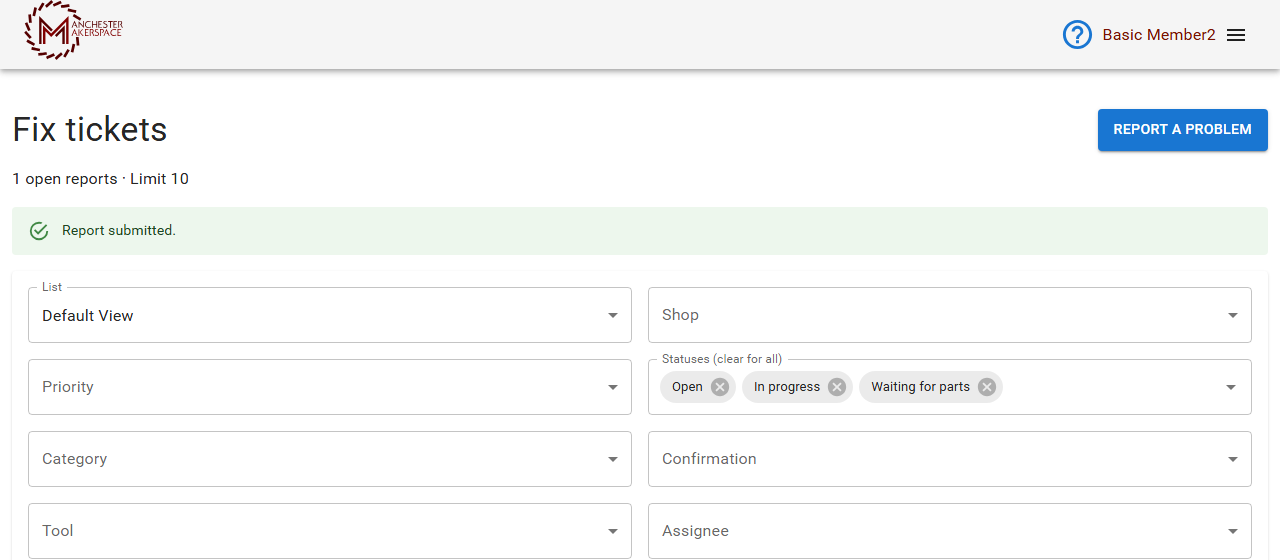
- Choose Submit Report. You see Report submitted. and your ticket appears in the list.
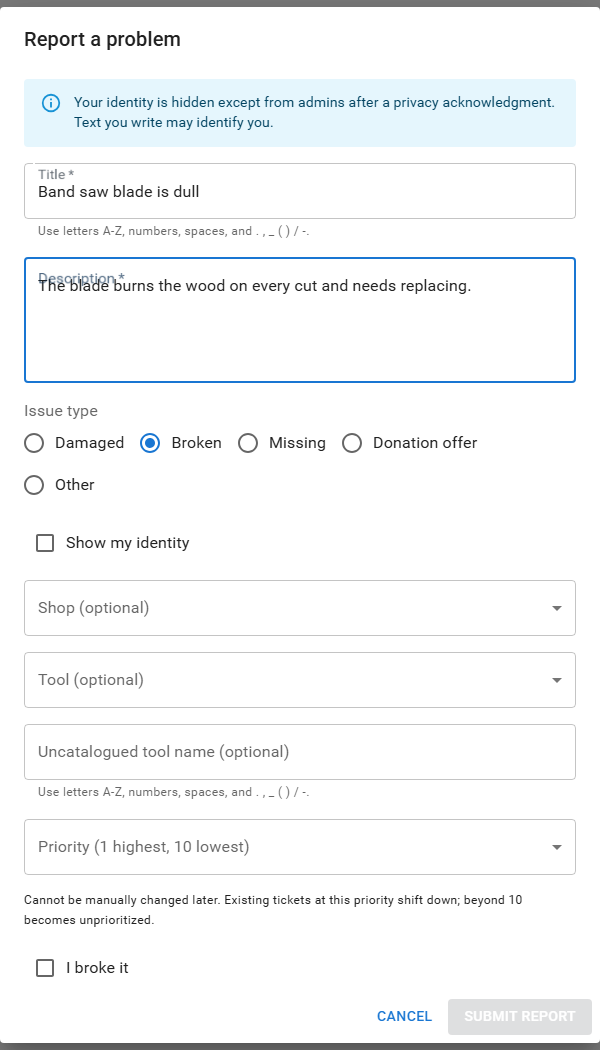
Your privacy. Your name is hidden from other members and staff. Only an admin can see who reported a ticket, and only after an acknowledgment that the access is recorded. Anything you write may still identify you, so be careful what you put in the text. For a Donation offer your name is shown by default so we can thank you. Untick Show my identity if you prefer to stay private.
Limit. The page shows how many open reports you have, for example "1 open reports · Limit 10". When you reach the limit, wait for one to be closed before you report another.
¶ Follow your ticket
Your tickets are in the Fix tickets list. The columns are the ticket, its priority, status, shop and tool, and the dates it was created and last updated. Use the filters at the top to narrow the list by Shop, Priority, Statuses, Category, Confirmation, Tool or Assignee. The default view shows every ticket you are allowed to read, including public ones, and starts with the open statuses selected.
Open a ticket to see its details and history.
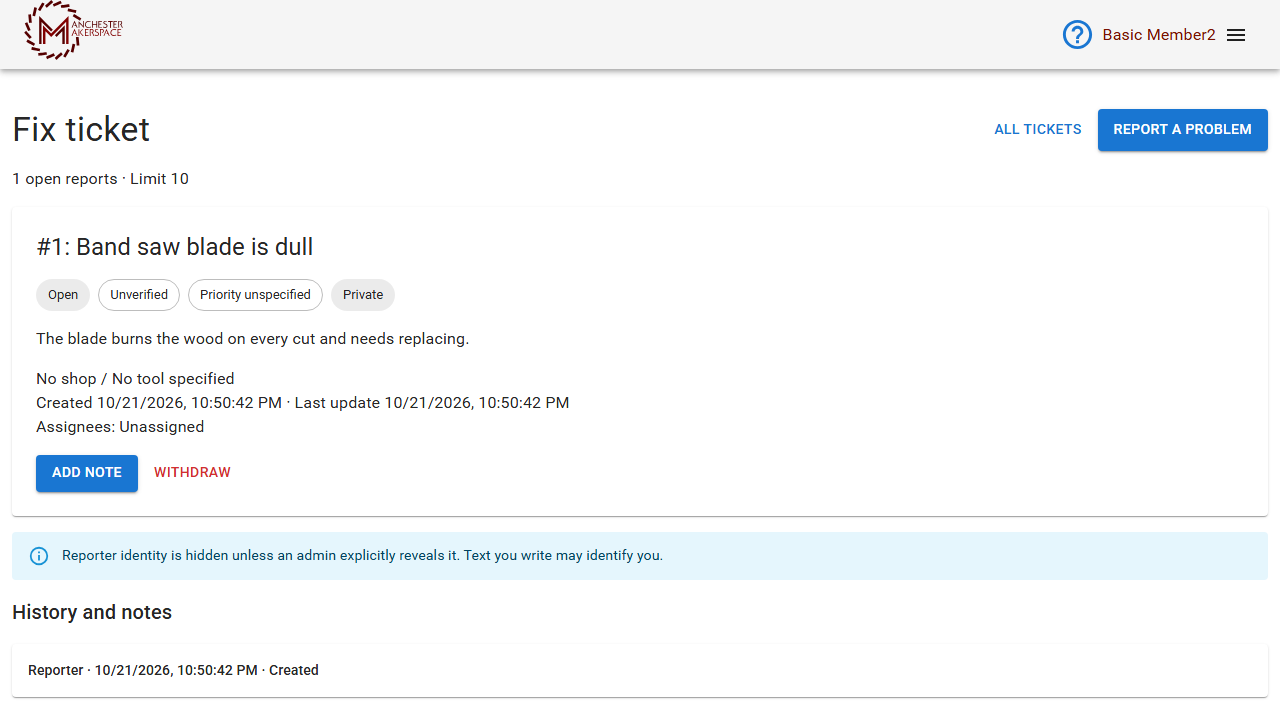
| What you see | What it means |
|---|---|
| Open | Reported and waiting. |
| In progress | Someone is working on it. |
| Waiting for parts | The fix needs something to be ordered or delivered first. |
| Resolved | It is fixed. |
| Rejected | It will not be worked on. A note says why. |
| Withdrawn | You or staff took it back. |
| Unverified, Confirmed, Could not confirm | Whether someone has checked the problem is real. |
| Private or Public | Whether other members can read it. |
On your own ticket you can choose Add Note to add information or answer a question (at least two characters), or Withdraw to take it back. If Slack is linked to your account you also get a message when something changes.
¶ Use Slack
Type these in any Slack channel. The answers are private to you.
- /fix new opens the report form. In a shop's channel it fills in that shop for you.
- /fix mine lists your reports.
- /fix public lists public tickets.
- /fix 2 opens ticket number 2.
- /fix-tickets show lists the tickets you can see. In a shop's channel it shows only that shop's tickets.
¶ Fixing something yourself
If you want to help, look at the volunteer bounties. Staff can turn a ticket into a bounty so a member can claim and fix it. See Volunteering at the Makerspace. Reporters cannot claim a bounty for their own ticket.
¶ If something goes wrong
| What you see | What to do |
|---|---|
| The Title is rejected | Use only letters, numbers, spaces and . , _ ( ) / - . |
| You cannot submit a report | You may have reached your limit of open reports, or a required field is empty. |
| You cannot choose a shop or tool | Some are hidden from members. Describe the problem in the Description instead. |
| Nobody has answered | Add a note, or ask in the shop's Slack channel. |
More help: Troubleshooting.
Last reviewed: October 2026