¶ Tool Groups and Checkout Approvers
Two features decide who can check members out, and on what: approvers, who sign members off, and tool groups, which let one checkout cover several related tools.
¶ Checkout approvers
An approver is a member who is allowed to sign off checkouts through the portal or the /checkout Slack command. Being an approver is separate from being a Resource Manager, and it does not give access to anything else.
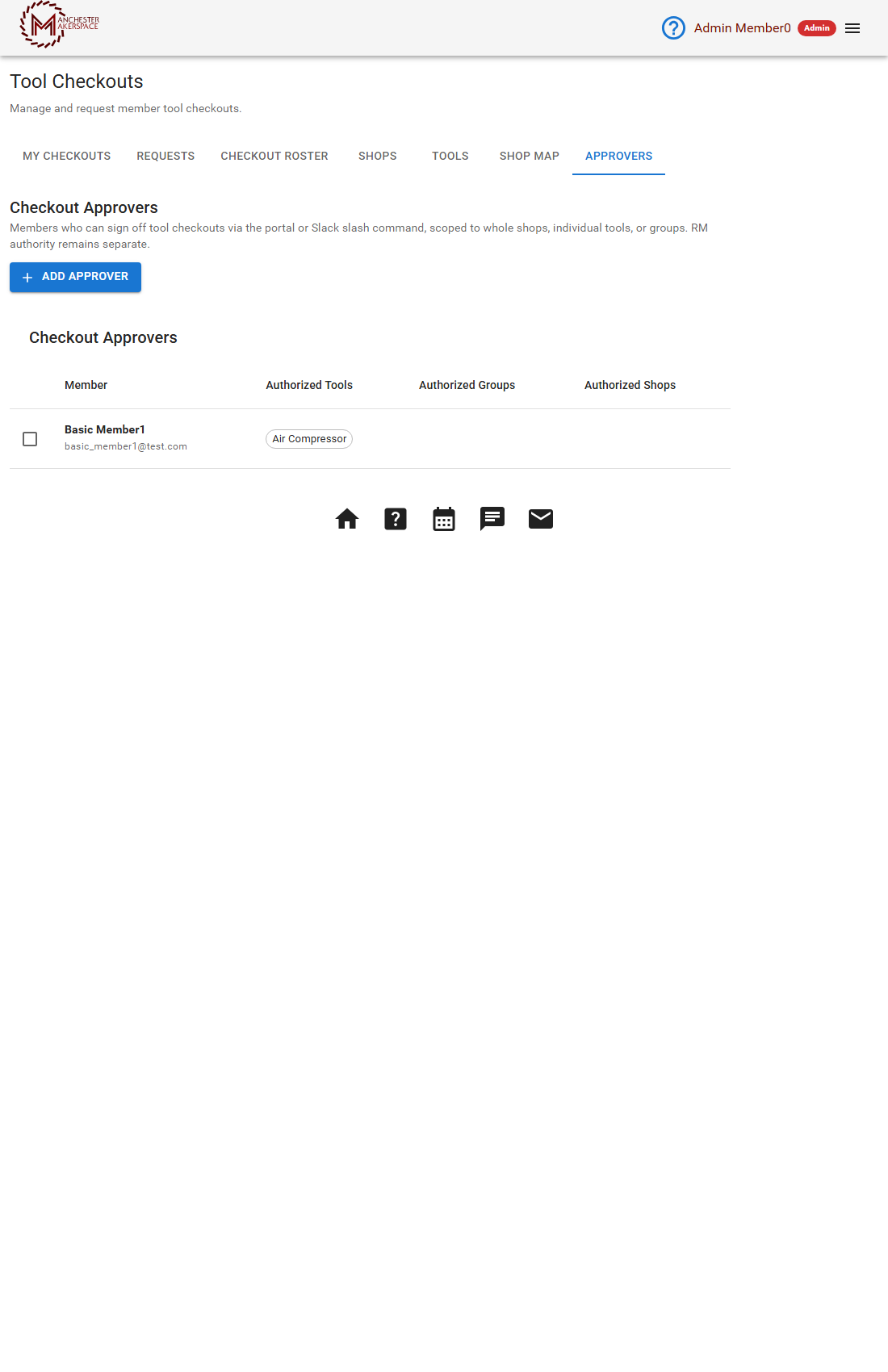
Only admins and board members see the Approvers tab (Tool Checkouts > Approvers), titled Checkout Approvers. The table lists each Member (name and email) with their Authorized Tools, Authorized Groups and Authorized Shops. Resource Managers do not see this tab, so ask a board member or admin to add or change approvers.
¶ What an approver can sign off
An approver is limited to the scope they are given. You can give any mix of:
- A whole shop. This covers every enabled tool in the shop.
- Individual tools.
- Tool groups.
Approvers see only the requests and the roster rows for what they are assigned. An assignment to individual tools alone does not let someone approve a group: they need the group or the shop.
¶ Add an approver
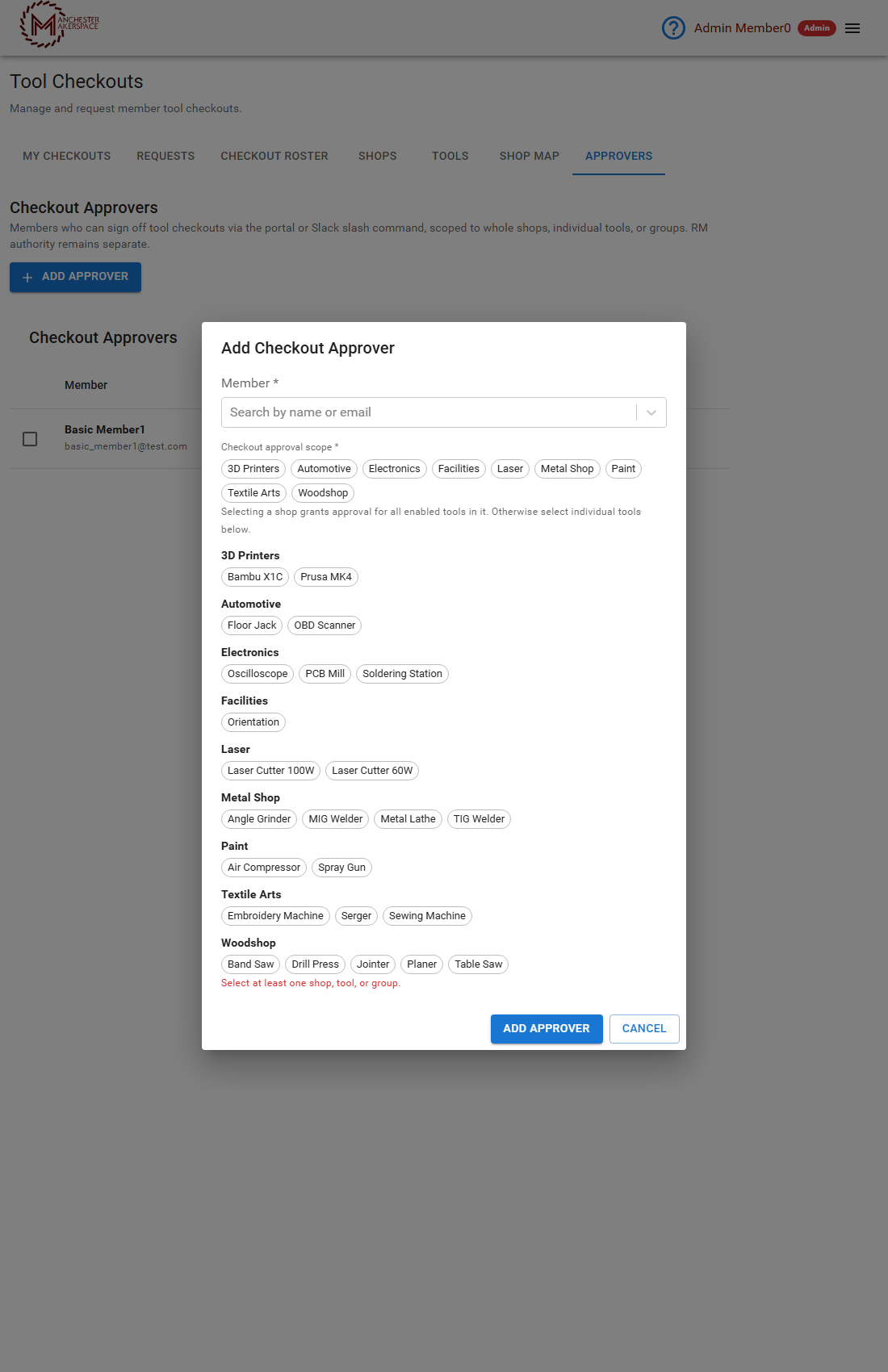
- On the Approvers tab, click Add Approver.
- In Member, search by name or email and pick the member.
- Under Checkout approval scope, click the shop chips for whole shops, or the tool chips under each shop for individual tools. At least one is required, or the box says Select at least one shop, tool, or group.
- Click Add Approver. Click Cancel to close without saving.
¶ Change or remove an approver
Tick the approver's row to get the edit and remove buttons. Edit changes their scope. The box is titled Edit Approver with the member's name. To remove someone, tick the row, use the remove button and confirm Remove: They will no longer be able to sign off checkouts via the portal or Slack.
¶ How people become approvers
- Volunteering. A member checked out on a tool can run
/checkout volunteerin Slack (see the /checkout command). The shop's Resource Managers get the request and approve or decline it. - Direct assignment by an admin or board member on this tab.
A revoked checkout removes the person's approval for that tool. See Revoke a checkout.
Approvers who are not admins, board members or Resource Managers earn a small automatic volunteer credit for each member they check out.
¶ Tool groups
A group is a set of related tools that are signed off together, for example a laser cutter's full set of machines. Members request the group once, and an approver checks them out on every tool in it in one step. Groups belong to one shop. Admins, board members and that shop's Resource Manager can manage them.
A group has no QR code, sign, short link or public page of its own.
¶ Create a group
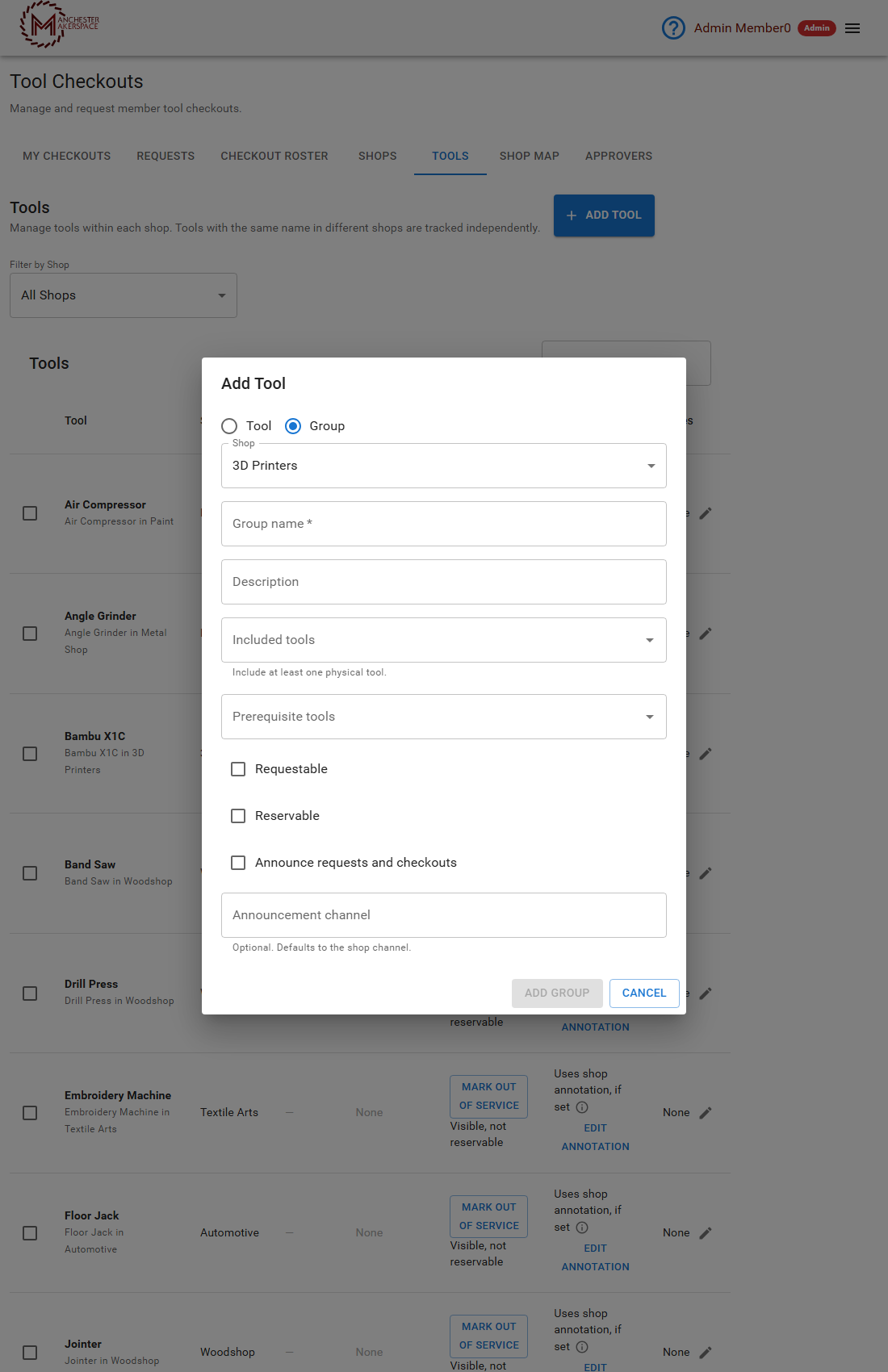
- On the Tools tab, click Add Tool, then choose Group as the resource type.
- Fill in the form, then click Add Group. Cancel closes it without saving.
| Field | What it does |
|---|---|
| Shop | The shop the group belongs to. |
| Group name (required) | What members see. |
| Description | A short description. |
| Included tools (required) | The physical tools in the group. At least one is required. |
| Prerequisite tools | Tools a member must already be checked out on before the group. |
| Requestable | Tick so members can request the group themselves. It is off by default. |
| Reservable | Tick so the group can be reserved. Off by default. |
| Announce requests and checkouts | Posts a message in the announcement channel. Off by default. |
| Announcement channel | Optional. Defaults to the shop's channel. |
¶ How group checkouts work
- An approver reviews the member against the group and approves once. The member is checked out on every included tool they were not already checked out on.
- If the member is already checked out on all the included tools, nothing new is created, and an open request for the group is simply resolved.
- A tool in the group that the member has a revoked checkout on blocks the whole group, until an admin or board member reinstates it.
- Prerequisites can be granted in the same step if they are inside the group. Prerequisites outside the group must already be held.
- Adding a tool to a group later does not retroactively check out members who already hold the group.
- Archiving or deleting a group closes any open requests for it. History is kept.
- A stale form is rejected with a conflict message if someone else edited the group first. Reload and try again.
In Slack, /checkout @member group-name opens a review box first. See the /checkout command.
¶ See also
¶ Group training plans and expiration
Set Checkout Training Plan URL in the group editor to show a training link
on group requests. Checkouts approved through that group use the tool’s current
training link when set, otherwise the originating group’s current link. Moving
a tool to another group does not replace the checkout’s originating group.
Each included tool’s Checkouts expire after policy determines its date.
Expired checkouts no longer satisfy prerequisites or new approver volunteering
eligibility, but expiration alone does not delete explicit approver assignments.
Last reviewed: October 2026